

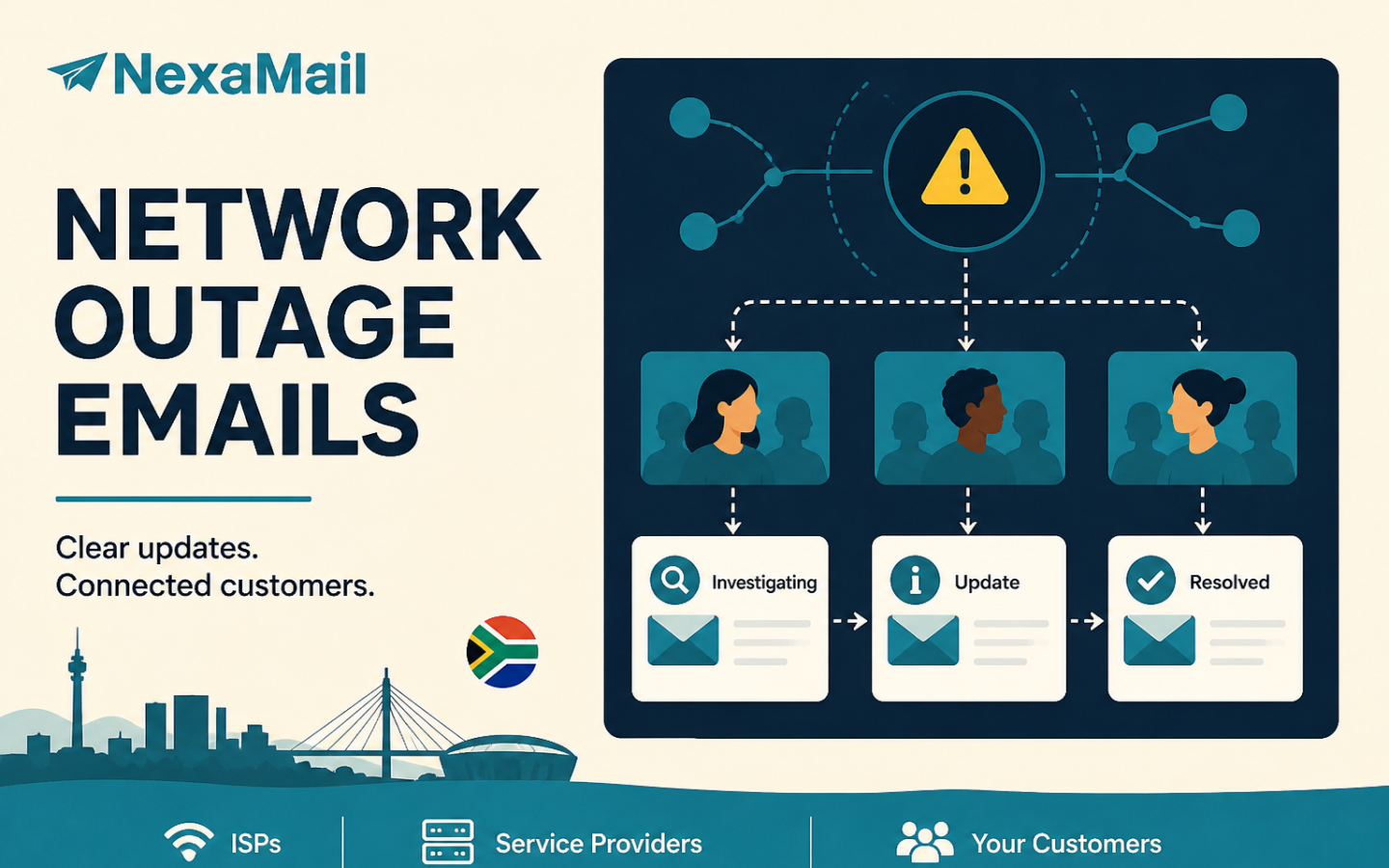
When a network fails, customers rarely expect an immediate technical fix. They do expect a clear acknowledgement, an accurate impact summary and a time for the next update.
A clear network outage notification email gives customers that certainty. It can reduce duplicate support requests, help account managers answer consistently and show that the provider is managing the incident rather than hiding from it. The message does not need to explain every technical detail. It needs to be accurate, timely and useful.
This guide gives ISPs, VoIP providers, managed IT companies, SaaS teams and other service businesses a practical communication sequence—from the first alert to the restoration notice.
What is a network outage notification email?
A network outage notification email is an operational message sent to customers affected by an unplanned service interruption. It confirms that the provider is aware of the incident, describes the known impact, gives the next update time and tells customers where to find help or live status information.
It is different from a marketing campaign. Service impact determines the audience, not promotional interest. The immediate goal is to help existing customers understand an active service event. Keep the content focused on that purpose and have your privacy or legal adviser review how your organisation distinguishes operational communication from direct marketing.
The outage communication sequence
One perfect email cannot carry an entire incident. Customers need a short sequence that changes as your technical team learns more:
- Initial notice: confirm awareness and define the known impact.
- Progress update: explain what has changed—or confirm that investigation continues.
- Restoration notice: confirm service recovery and tell customers what to do if problems remain.
- Follow-up: share a concise incident summary when the scale or impact warrants it.
AWS recommends defining a customer communication plan for service-impacting events and using more than one customer-facing interface where appropriate, such as email, a status page and in-product messaging. The important lesson is to decide the process before the next incident, rather than drafting it while support queues are already climbing.
What the first outage email must contain
Send the first notice as soon as you confirm an incident that affects customers. Do not wait for a complete root-cause analysis. Separate confirmed facts from the questions your technical team is still investigating.
- Recognisable sender: use a stable address and sender name customers associate with service notices.
- Direct subject line: name the affected service or region without sensational language.
- Incident status: say that the team is investigating or working to restore service.
- Known impact: identify affected products, regions or customer groups as accurately as possible.
- Start time: provide the confirmed or estimated start time and include the timezone.
- Customer action: say whether customers need to do anything. Usually they do not.
- Next update: commit to a time for the next message, even if your team cannot yet estimate when service will return.
- Support route: link to a status page or designated support channel without inviting unnecessary duplicate tickets.
Network outage email templates
Use these templates as operational starting points. Replace every bracketed field, remove claims you cannot verify and align the wording with your incident process.
Template 1: initial outage notice
Subject: Service interruption affecting [service/region]
We are investigating a service interruption affecting [specific service, area or customer group] that began at approximately [time and timezone].
Our technical team is working to identify the cause and restore service. You do not need to restart or reconfigure your equipment unless our support team asks you to do so.
We will send the next update by [time and timezone]. Current information is also available at [status-page link].
We apologise for the disruption.
Template 2: investigation update
Subject: Update: [service/region] interruption
Work continues on the interruption affecting [service/region]. We have confirmed that [brief verified development], and our technical team is currently [plain-language action].
Service remains [unavailable/intermittent/degraded] for [affected audience]. Expect our next update by [time and timezone], or sooner if our team restores service.
Please follow [status-page link] for the latest confirmed information.
Template 3: service restored
Subject: Resolved: [service/region] interruption
Our technical team restored service at [time and timezone] after the interruption affecting [service/region]. Our monitoring indicates that [plain-language confirmation of recovery].
If you are still experiencing problems, [specific troubleshooting or support instruction].
We will continue monitoring the service and will share a follow-up summary if further customer action is required. Thank you for your patience.
Template 4: post-incident follow-up
Subject: Follow-up on the [date] service interruption
On [date], customers using [service] experienced [brief impact] between [start time] and [restoration time]. [Approved plain-language explanation] caused the interruption.
We restored service by [verified action]. To reduce the risk or impact of a similar incident, we are [specific corrective work your team has approved for disclosure].
We appreciate your patience and will keep improving how we communicate during service events.
Segment the audience before you send
Sending every outage notice to every customer creates alert fatigue and can weaken trust. Build segments that match your infrastructure and customer account structure.
Useful segmentation fields may include:
- region, exchange, tower, node or point of presence;
- service or product type;
- account status and customer type;
- affected upstream provider or platform;
- primary and authorised technical contacts; and
- language or communication preference where your process supports it.
The incident owner should provide a definitive affected-customer list or impact rule. The communication operator should not guess from a general marketing list. Test that rule against a few known accounts before sending at scale.
Set an update cadence customers can trust
An estimated restoration time and a next-update time are not the same thing. If engineers cannot responsibly estimate restoration, do not invent one. You can still promise the next communication.
For example: “We will update you again by 14:30 SAST, even if investigation is still in progress.” That commitment gives customers a planning point and prevents a long, unexplained silence.
Choose the cadence according to severity and customer impact. A major national outage may require frequent updates; a small intermittent issue may justify a longer interval. Maintain one approved incident timeline so email, the status page, support staff and account managers do not publish conflicting facts.
Monitor delivery as part of incident response
Pressing Send is not the end of outage communication. A service provider should monitor accepted, deferred and bounced messages, as well as customer domains that reject delivery.
- review delivery and bounce results after each notice;
- suppress permanently invalid addresses instead of repeatedly retrying them;
- correct contact data through an authorised customer-data process;
- watch for unusual complaint activity;
- keep operational and promotional message purposes clearly organised; and
- maintain a fallback channel when an outage blocks customers’ connectivity or email access.
Google’s current email sender guidelines require authentication and responsible sending practices for mail sent to personal Gmail accounts, with additional requirements for high-volume senders. Although one-click unsubscribe applies to marketing and subscribed messages rather than every transactional message, authentication, low complaint rates and sound data remain important across your sending programme.
Email should not be your only outage channel
If the outage prevents customers from accessing email—or affects the systems used to send it—you need another route. Depending on the service and severity, that may include a hosted status page, SMS, in-app notification, support-line recording or social update.
Keep these channels coordinated. Email can carry the fuller explanation, while a status page provides a continuously updated source of truth. SMS is useful for short urgent notices but should link to a maintained status source rather than attempt to hold the entire incident narrative.
Common outage-email mistakes
- Waiting for the root cause: customers need acknowledgement before the full diagnosis is complete.
- Sending to everyone: irrelevant alerts train customers to ignore future notices.
- Using technical shorthand: internal fault codes rarely help a customer decide what to do.
- Making an unsupported promise: an optimistic restoration time can cause more frustration than an honest update cadence.
- Going silent: “investigation continues” is still useful when sent at the promised time.
- Changing facts across channels: support, email and status-page updates should follow the same approved timeline.
- Marking resolution too early: confirm recovery through monitoring before your team closes the incident publicly.
- Including sensitive details: do not expose customer, infrastructure or security information that is unnecessary for the recipient.
Build the workflow before the next outage
- Define triggers. Document which severity or impact level starts customer communication.
- Assign authority. Name the incident owner and the person authorised to approve external updates.
- Prepare segments. Keep service, region and account data usable before an emergency.
- Write templates. Pre-approve the structure, placeholders, sender and escalation language.
- Choose channels. Decide how email, status, SMS and support messaging work together.
- Test delivery. Confirm authentication, sender identity and reporting before an urgent send.
- Run a simulation. Practise the first notice, progress update and restoration workflow.
- Review every incident. Record what customers asked, where data failed and which step caused delay.
For more detail on turning operational triggers into repeatable journeys, read the NexaMail guide to email automation in South Africa.
How NexaMail supports customer outage communication
NexaMail can help a South African service team organise customer lists and segments, send service notifications and newsletters, automate appropriate customer journeys, and review delivery and engagement results from one environment. That is particularly useful when the same organisation manages both ongoing customer communication and traditional email marketing as volume grows.
The platform does not replace incident management, accurate infrastructure data or a fallback channel. Your team still decides who is affected, approves what can be said and owns the restoration timeline. NexaMail provides the sending and audience workflow around those decisions.
If you are evaluating capacity, compare NexaMail’s Rand-based sending plans. For an ISP, VoIP or managed-service workflow, discuss your outage-notification requirements with the NexaMail team.
Frequently asked questions
How soon should an outage notification be sent?
Send the first notice once your team confirms customer impact and identifies the known scope with reasonable accuracy. Do not wait for a full root-cause analysis. State the confirmed facts, the questions under investigation and the time of the next update.
What should an outage email subject line say?
Name the event and affected service directly, for example: “Service interruption affecting fibre customers in [region]”. Use “Update” for progress messages. Reserve “Resolved” for the point when monitoring confirms recovery.
Should an outage email include an estimated restoration time?
Include an estimate only when the incident owner has approved a defensible timeframe. If no reliable estimate exists, give a specific time for the next update instead.
Are outage notifications marketing emails?
A genuine outage notice normally supports an existing service relationship; it does not promote an offer. Keep it limited to the service event and obtain appropriate legal or privacy advice for your organisation’s circumstances. Do not use an urgent service notice as cover for unrelated marketing.
How do we reduce support calls during an outage?
Send an early acknowledgement, segment it to affected customers, provide a dependable next-update time and maintain one live status source. Make clear whether customers need to take action and direct them away from duplicate tickets when the team already knows about the fault.
Prepare before customers need the message
Strong outage communication starts before the emergency, not with a blank page during it. Build the audience rules, approval path, templates, sender authentication and update cadence while systems are healthy. Then test the sequence with the people who will operate it.
Talk to NexaMail about a dependable customer-notification workflow for your service business.
Community discussion
Be the first to comment
Add a useful question or perspective. Comments are reviewed before publication.