

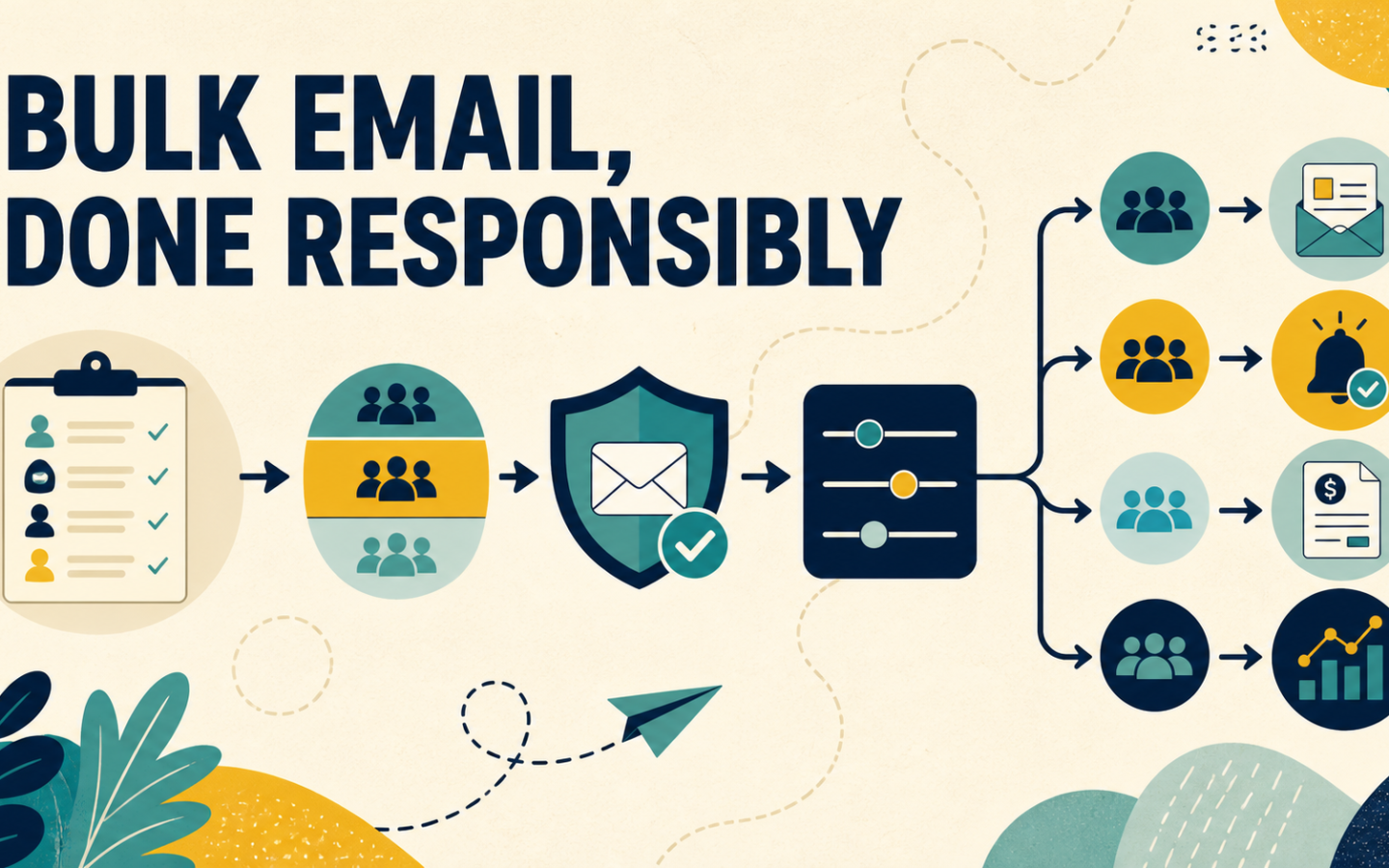
Bulk email in South Africa is not simply a matter of importing a spreadsheet and pressing Send. Once an organisation communicates with thousands of customers, small weaknesses in consent records, data quality, authentication, segmentation and reporting become operational problems.
The right approach starts with a more useful question: what do we need to send, to whom, how often, and what happens if the message does not arrive? A monthly newsletter, a school notice, an ISP outage update and 40,000 customer statements may all involve volume, but they do not have the same purpose or workflow.
This guide explains how South African businesses can plan legitimate bulk and high-volume email without treating every message as a marketing blast. It covers volume estimates, audience governance, POPIA-conscious processes, deliverability, platform selection and the controls teams should check before sending.
What is bulk email?
Bulk email is one message or message type sent to a large group of recipients through a system designed to manage volume, audience rules, delivery and reporting. The term can include newsletters and promotions, but also customer updates, statements, service notices, membership communication and other legitimate high-volume messages.
Bulk does not automatically mean unsolicited. A responsible bulk-email programme sends relevant communication to people whose relationship, permission or service context supports the message. Buying a list and sending cold promotions at scale is a different—and much riskier—practice.
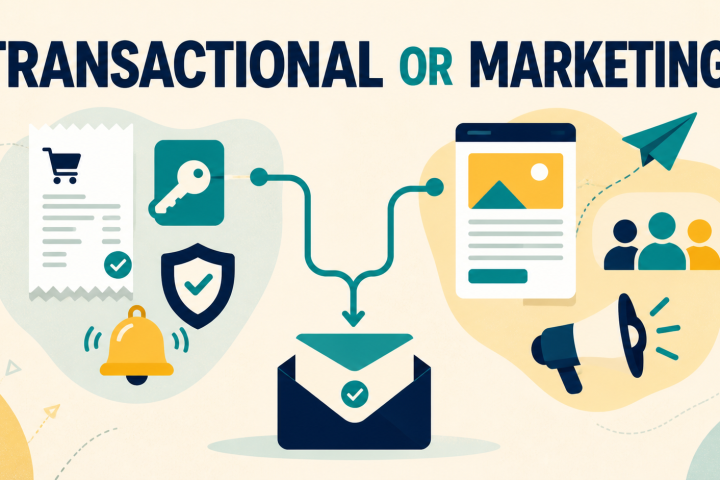
Bulk email, transactional email and ordinary business email
- Bulk campaign email sends common content to a managed audience, such as a newsletter or service update.
- Transactional email is normally triggered by an individual action or account event, such as a password reset or receipt.
- Ordinary business email is person-to-person correspondence sent through a mailbox.
The same organisation may need all three. The mistake is forcing them through one undifferentiated process. Use the message purpose, trigger, urgency and audience to choose the workflow.
When does a business need a bulk email platform?
A normal mailbox works for individual correspondence. It becomes unsuitable when the team needs repeatable audience selection, unsubscribe handling, scheduling, bounce processing, templates and campaign-level reporting.
A dedicated platform becomes useful when you need to:
- send one update to hundreds or thousands of relevant recipients;
- manage newsletters, service notices and recurring campaigns;
- segment customers by product, location, account type or service status;
- record and enforce marketing preferences and suppressions;
- monitor sends, deliveries, bounces, opens and clicks;
- coordinate communication across several staff members; or
- connect a website, CRM or operational system through automation, SMTP or an API.
Do not wait until a critical customer update is due to discover that your current mailbox has recipient limits, no suppression process and no useful delivery history.
Start by calculating real monthly email volume
List size alone does not tell you how much sending capacity you need. A database of 20,000 active customers receiving one message a month uses less capacity than a database of 8,000 receiving weekly newsletters, onboarding emails and service updates.
Use this simple calculation:
For example, an ISP with 12,000 customers might send:
- one monthly service newsletter: 12,000 emails;
- two segmented product or account updates: 8,000 emails;
- planned and unplanned service notices: approximately 6,000 emails;
- onboarding and billing automations: 4,000 emails; and
- 20% headroom for busy periods: 6,000 emails.
The planning figure is therefore closer to 36,000 emails than 12,000. Seasonal campaigns, school terms, billing cycles, annual renewals and emergency notices can create spikes, so review both an average month and the busiest realistic month.
Separate your message streams before choosing software
A useful bulk-email plan starts with a message map. Record each recurring email, its purpose, trigger, audience, urgency, owner and success measure.
| Message stream | Typical examples | Primary control |
|---|---|---|
| Marketing | Newsletters, offers, event invitations, re-engagement | Permission, preferences, unsubscribe and engagement |
| Operational | Maintenance, outages, school notices, account changes | Affected audience, timing, clarity and delivery monitoring |
| Transactional | Password resets, receipts, booking confirmations | Event trigger, speed, reliability and failure handling |
| Administrative | Statements, membership documents, requested reports | Correct recipient, data protection and audit trail |
This prevents an urgent service notice from being treated like a promotional newsletter and helps the team decide where campaigns, automation, SMTP and API connections belong. For a deeper classification method, read our guide to transactional and marketing email after it is published.
Build the audience around relevance, not database size
A large database is not automatically a valuable audience. Old addresses, duplicates, role accounts, typos and people who no longer expect your email increase cost and make results harder to interpret.
Know where every address came from
For each source—website form, customer account, event, import or integration—record what the person was told and which messages the relationship supports. Do not assume that an address collected for account administration can automatically receive every marketing campaign.
Use segments that match the message
An outage affecting one network area should not go to the whole customer base. A school notice for one grade should not reach every parent. A software feature announcement should target customers who use or could genuinely benefit from that feature.
Good segmentation improves relevance, reduces unnecessary volume and makes the response easier to understand. Useful fields can include service, location, lifecycle stage, customer type, last engagement and communication preference.
Suppress instead of repeatedly retrying bad addresses
Hard bounces, complaints and marketing opt-outs should stop receiving the relevant future sends. Suppression is usually safer than relying on staff to remove addresses manually from every list. Keep historical records where your lawful retention and operational needs require them, but separate record retention from sending eligibility.
NexaMail’s audience and lead-capture guidance explains how permission-aware forms, clear expectations and early follow-up support a healthier database.
What POPIA means for bulk email
POPIA regulates the processing of personal information, and section 69 specifically addresses direct marketing by unsolicited electronic communication. The Information Regulator’s Guidance Note on Direct Marketing provides current guidance for responsible parties.
The practical starting point is purpose. Marketing, transactional and operational emails can involve different circumstances, but none of those labels removes the need to process personal information lawfully and securely.
For a bulk-email workflow, document:
- where contact information came from;
- the purpose for which it is used;
- the consent or other applicable lawful basis;
- what communication the person should reasonably expect;
- how marketing objections and opt-outs are actioned;
- how suppression is enforced across imports and automations; and
- who can access, export and change the audience.
Review the Protection of Personal Information Act and obtain professional advice for your organisation’s circumstances. NexaMail’s POPIA-conscious email tools can support a responsible workflow, but software does not make compliance decisions on your behalf.
Bulk email deliverability is a process, not a promise
No provider can legitimately guarantee that every bulk email will appear in every inbox. Receiving providers evaluate authentication, sending history, recipient feedback, message patterns and other signals that change over time.
Google’s current email sender guidelines require all senders to meet baseline authentication and technical standards. Senders delivering more than 5,000 messages a day to personal Gmail accounts face additional requirements including SPF, DKIM, DMARC, alignment and one-click unsubscribe for marketing and subscribed messages.
Before scaling volume, check:
- Authentication: configure SPF, DKIM and DMARC correctly for the sending domain.
- Recognition: use a sender name and address the audience expects.
- List quality: exclude invalid, unsubscribed and irrelevant contacts.
- Volume pattern: avoid unexplained spikes from a new domain or inactive list.
- Message quality: use accurate subjects, working links and clear content.
- Feedback: monitor bounces, complaints, unsubscribes and engagement after every send.
High volume also includes a rate dimension. Amazon SES, for example, distinguishes between the number of recipients allowed in a 24-hour period and the rate accepted per second. Its sending-quota guidance explains why gradual, legitimate volume growth helps providers manage reputation risk. Your provider will have its own limits and controls.
How to choose a bulk email service in South Africa
Feature lists can make every platform look similar. Evaluate the workflow your team actually needs.
1. Transparent capacity and local cost
Compare monthly sending allowance, subscriber limits, overages, automation limits and the cost of your busiest month—not only the entry price. Rand-based pricing can make budgeting easier for South African teams exposed to exchange-rate changes.
2. Audience controls
Check how lists, segments, imports, unsubscribes and suppressions work. A low sending price is poor value if the team cannot reliably exclude the wrong recipients.
3. Campaigns, automation and system connections
Decide whether staff will create newsletters and notices manually, whether journeys should be automated, and whether operational systems need SMTP or API access. Do not pay for a complex stack if the team only needs focused communication—but do not choose a campaign-only tool when critical system events must trigger mail.
4. Reporting that supports decisions
Useful reporting should help answer: was the message accepted, which addresses failed, who engaged, what should be suppressed, and did customer behaviour or support demand change? Opens alone are not a complete measure.
5. Support and migration
Ask who will help configure sender identities, move audiences, verify suppression rules and test the first send. Local support matters when an urgent customer update cannot wait for an overnight response.
A practical bulk email pre-send checklist
Purpose and audience
- Is the message marketing, operational, transactional or administrative?
- Does every selected recipient genuinely need or expect it?
- Have irrelevant segments been excluded?
Data and permissions
- Is the source of the audience known?
- Are unsubscribes, complaints and invalid addresses suppressed?
- Are duplicates and obvious typos removed?
Domain and message
- Are SPF, DKIM and DMARC reviewed?
- Is the sender recognisable and the subject accurate?
- Are links, contact details and the appropriate preference controls present?
Delivery and follow-up
- Is the send within the account’s volume and rate allowance?
- Who will monitor failures and customer responses?
- When will bounce, complaint and engagement results be reviewed?
Where NexaMail fits
NexaMail gives South African organisations one focused place to manage newsletters, campaigns, customer updates, audience segments and automated communication. SMTP and API options can connect business systems when a message needs to be triggered by an operational event.
The value is not simply sending a large number. It is keeping the purpose, audience, preference rules and results organised as volume grows—with pricing in rand and support from a local team.
Compare NexaMail’s high-volume sending plans using your real monthly calculation. If you have several message streams or an existing system to connect, discuss your sending workflow with the NexaMail team before choosing a plan.
Frequently asked questions
What is the best way to send bulk email in South Africa?
Use a legitimate bulk-email platform that supports your audience size, monthly volume, permission process, segmentation, authentication, suppression and reporting needs. Do not use a normal staff mailbox or purchased contact list for high-volume campaigns.
Is bulk email legal in South Africa?
Bulk email is not inherently unlawful, but the collection and use of personal information and direct-marketing activity must comply with POPIA and other applicable requirements. The message purpose, relationship, permission process and customer rights matter. Obtain legal advice for your specific use case.
How much bulk email capacity do I need?
Multiply recipients per send by planned sends per month, add automated and transactional messages, then include headroom for busy periods and urgent updates. Review your busiest realistic month, not only your current list size.
Can I send bulk email through Gmail or Outlook?
Personal and staff mailbox services are designed primarily for correspondence and enforce sending limits. A bulk-email platform adds audience controls, unsubscribe handling, campaign reporting, templates and sending infrastructure suited to one-to-many communication.
Can bulk email software guarantee inbox placement?
No. A provider can support sound authentication, data management and monitoring, but receiving providers decide placement. Sender reputation, audience quality, complaints, engagement and message patterns all contribute.
What is the difference between bulk email and spam?
Bulk describes volume or one-to-many sending. Spam is unwanted or abusive communication. Legitimate bulk email is relevant, expected, permission-aware and managed with clear sender identity, appropriate opt-out controls and healthy audience practices.
Should service notifications use the marketing list?
Not automatically. Select customers affected by the service event and keep the content focused on that event. Marketing preferences and operational necessity should be defined separately, without using service messages to bypass a marketing opt-out.
Plan the process before the next send
Write down your recurring messages, calculate the busiest monthly volume, identify the real audience for each stream, and document who owns sending and follow-up. That short exercise will reveal whether the main need is a newsletter tool, an automation workflow, an SMTP or API connection, or a coordinated platform for all three.
Bulk email works best when the organisation can explain why every message exists, who should receive it and what the team will do with the delivery feedback. Scale the process—not just the number of recipients.
Community discussion
Be the first to comment
Add a useful question or perspective. Comments are reviewed before publication.