

Delivery outcomes
See delivered, bounced and complaint results so list or sender problems are easier to identify.
Campaign reporting and analytics
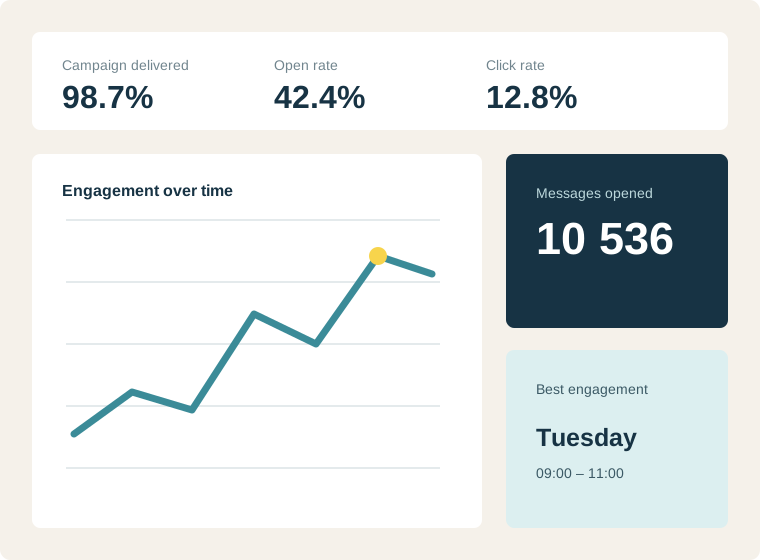
Follow deliveries, opens, clicks, bounces, complaints and unsubscribes, then inspect recipient-level logs when a campaign needs closer attention.
Separate delivery from engagement
Investigate recipient-level outcomes
Download logs for operational review
How it works
Begin with the campaign outcome, then investigate the underlying recipients when the result needs explanation. NexaMail records deliveries, opens, clicks, bounces, complaints, unsubscribes and feedback events, with downloadable logs for operational review.
Built for everyday communication
Use reporting to improve audience quality, sending practices, timing and message relevance instead of collecting numbers without action.
See delivered, bounced and complaint results so list or sender problems are easier to identify.
Compare opens and clicks by campaign while treating open tracking as a directional signal rather than an absolute measure.
Inspect and download recipient activity when support, operations or campaign teams need detail.
Built for practical use
Flexible enough for marketing, focused enough for the customer communication your organisation depends on.
Practical guidance
Turn the feature into a reliable customer communication practice with guidance specific to this workflow.
Open tracking is directional rather than absolute because privacy features and email clients can affect it. Combine opens with clicks, replies, conversions and operational outcomes.
A delivered message can still be ignored, while strong content cannot perform if it never reaches the inbox. Diagnose delivery health first and content performance second.
Review urgent operational campaigns soon after sending and compare recurring newsletters over a longer period. Match the reporting rhythm to the decision your team needs to make.
Common questions
NexaMail reports delivery, opens, clicks, bounces, complaints or feedback, and unsubscribes. Teams can inspect recipient-level activity and download logs for further analysis.
Yes. Bounce and complaint patterns can expose audience-quality or sender-reputation risks. Reporting supports diagnosis, but no platform can guarantee inbox placement.
No. Privacy features and email-client behaviour can affect open tracking, so opens should be read alongside clicks, replies, conversions and operational outcomes.
Ready when you are
Before you begin
Strong results start with a clear communication process—not simply more software.
Decide whether success means confirmed delivery, information read or a customer action completed.
Compare similar audiences and message types instead of treating every campaign as equivalent.
Turn each report into one practical improvement for content, timing, targeting or list quality.
Measure what matters
Use these indicators to improve the communication process, not merely to produce another report.
Repeated delivery failures may indicate outdated records or sender configuration issues.
Highlights which customer groups find a message most relevant.
A sustained change is usually more useful than one unusually strong or weak campaign.