


Your business sends a newsletter to 8,000 subscribers. The sending platform marks the campaign as sent, but Gmail recipients start reporting missing messages. Is the problem your email design, your domain or the receiving provider's rules?
In 2026, every South African business that sends email to Gmail and Yahoo users needs to understand sender authentication and recipient protection requirements. These rules apply based on the receiving mailbox provider, not the country where your business operates. A correctly configured sending domain is only the starting point: list quality, complaint rates and unsubscribe handling matter too.
The short answer: Gmail requires all senders to authenticate with SPF or DKIM, and senders of roughly 5,000 or more messages per day to personal Gmail accounts must meet additional requirements including SPF, DKIM, DMARC and one-click unsubscribe for relevant marketing mail. Yahoo has comparable requirements for bulk senders but does not publish a fixed bulk-volume threshold. Neither provider guarantees inbox placement merely because you pass authentication.
What changed, and why does it matter in 2026?
Google and Yahoo began enforcing stronger sender standards in February 2024. Google's sender FAQ says that starting in November 2025 it increased enforcement against non-compliant traffic, including temporary and permanent rejections. The practical implication for 2026 is that authentication is no longer something to postpone until your first large campaign fails.
If your business sends appointment reminders, invoices, password resets, newsletters or promotional campaigns, map each sending system and identify which domain signs its messages. One website might send through a hosting server, a CRM and a marketing platform. Each legitimate route needs to be accounted for.
Source: Google sender FAQ.
Gmail versus Yahoo: requirements at a glance
| Requirement | Gmail: all senders | Gmail: bulk senders | Yahoo: all senders | Yahoo: bulk senders |
| SPF or DKIM | Required | Both required | At least one required | Both required |
| DMARC | Recommended | Required; p=none permitted |
Recommended | Required; at least p=none |
| DMARC alignment | Recommended | From domain must align with SPF or DKIM for direct mail | Recommended | From domain must align with SPF or DKIM |
| Valid forward/reverse DNS | Required | Required | Required | Required |
| Low spam complaints | Below 0.3%; Google advises aiming below 0.1% | Same | Below 0.3% | Same |
| One-click unsubscribe | Depends on message and bulk-sender rules | Required for marketing/subscribed mail | Not a universal baseline requirement | Required for marketing/subscribed mail |
| Visible unsubscribe link | Good practice for marketing | Required for marketing/subscribed mail | Good practice for marketing | Required for marketing/subscribed mail |
Gmail's bulk classification is based on sending around 5,000 or more messages to personal Gmail accounts within 24 hours, aggregated across the same primary domain. Google says that once classified as a bulk sender, the classification does not expire. Yahoo deliberately does not publish a numeric bulk threshold; do not assume Gmail's 5,000 figure applies to Yahoo.
Sources: Gmail sender guidelines, Gmail sender FAQ, Yahoo Sender Hub, Yahoo FAQ.
Step 1: Check SPF, DKIM and DMARC
These three standards work together, but they perform different jobs.
SPF: authorise the sending infrastructure
Sender Policy Framework (SPF) is a DNS record that identifies mail systems authorised to send using a particular envelope-sender domain. A simple illustrative SPF record might look like:
example.co.za. TXT "v=spf1 include:_spf.example-provider.test ~all"
Illustrative only: example-provider.test is not a real NexaMail record. Use the exact value supplied by your sending provider. If you use multiple services, ensure your domain has one coherent SPF policy rather than multiple conflicting SPF records. SPF alone does not guarantee that the visible From domain aligns for DMARC.
DKIM: cryptographically sign the message
DomainKeys Identified Mail (DKIM) signs selected message headers and body content. Receiving servers look up a public key published in DNS and verify the signature. A DKIM record is commonly published under a selector such as selector1._domainkey.example.co.za; the exact host and value depend on the provider.
DMARC: align authentication with the visible From domain
DMARC checks whether SPF or DKIM passes and aligns with the domain in the visible From address. It also allows domain owners to publish a policy and request aggregate reports.
An illustrative monitoring-stage DMARC record is:
_dmarc.example.co.za. TXT "v=DMARC1; p=none; rua=mailto:dmarc-reports@example.co.za"
Use an actual mailbox or reporting service authorised to receive the reports. p=none is a useful starting policy for monitoring; it is not equivalent to spoofing protection through enforcement. After reviewing legitimate sending sources, a business can consider quarantine or reject in a controlled rollout.
For a walkthrough specific to NexaMail, follow the sending-domain verification guide. Always copy the actual DNS records displayed for your domain rather than guessing values from a blog example.
Step 2: Understand the unsubscribe rules
For bulk marketing and subscribed email, Gmail requires one-click unsubscribe and a clearly visible unsubscribe link in the message body. Yahoo requires bulk senders to support easy unsubscribe through appropriate list-unsubscribe headers and a visible body link. Yahoo says unsubscribe requests must be honoured within two days; Google also requires timely processing under its sender guidelines.
A footer link to a preference centre is useful, but a footer link alone is not a substitute for a standards-compliant one-click unsubscribe mechanism where one is required. RFC 8058 defines the one-click POST mechanism used with List-Unsubscribe headers.
Transactional messages such as password resets and reservation confirmations are not subject to Gmail's one-click requirement merely because they are transactional messages. Keep transactional content separate from promotional content; adding a sales offer to an operational email can complicate classification and recipient expectations.
Sources: Google sender FAQ, Yahoo Sender Hub, RFC 8058.
Step 3: Keep complaint rates low
A spam complaint is not the same as a bounce. It happens when a recipient marks a message as spam. Both Google and Yahoo set a 0.3% spam-rate ceiling in their sender requirements; Google recommends keeping the rate below 0.1% and avoiding 0.3% entirely.
For a simple illustration, 3 complaints among 1,000 messages would be 0.3%. This is not a reliable way to reconstruct the provider's measured spam rate: mailbox providers calculate their own metrics using their own eligible-message populations and signals. Use Google Postmaster Tools for Google's reported rate, and Yahoo's available sender feedback mechanisms for Yahoo traffic.
To reduce complaints:
- Send only to people who reasonably expect your message.
- Avoid purchased or scraped email lists.
- Use a recognisable sender name and accurate subject line.
- Segment by relevance rather than sending every campaign to every contact.
- Suppress hard bounces, opt-outs and known complaints.
- Increase volume responsibly when sending from a new domain or a long-inactive list.
Authentication proves aspects of sender identity; it does not turn unwanted email into wanted email.
Step 4: Verify the technical configuration before a campaign
Ask the person responsible for DNS or your email service provider to check the following:
1. DNS: Confirm the domain has the correct SPF, DKIM and DMARC TXT records. Check that no duplicate SPF policies exist. 2. Actual message authentication: Send a test email to a personal Gmail account. In Gmail, open the message and choose Show original to inspect SPF, DKIM and DMARC results. A DNS record existing is not the same as the outgoing message passing authentication. 3. Alignment: Check that the visible From domain aligns with a passing SPF or DKIM identity. 4. Transport and IP configuration: Confirm TLS is used and sending infrastructure has valid forward and reverse DNS. If a third-party provider controls the IP, ask them to verify it. 5. Unsubscribe: For marketing mail, inspect the actual List-Unsubscribe headers and test the one-click flow and body unsubscribe link. 6. Monitoring: Review Google Postmaster Tools where enough data is available, bounce reasons, complaints and unsubscribe processing.
Example DNS lookups for a domain you control:
dig TXT example.co.za
dig TXT _dmarc.example.co.za
dig TXT selector1._domainkey.example.co.za
The selector in the third command is only an example. Your provider will tell you which selector to query. These lookups show published DNS values; they do not prove that a particular message passed authentication.
Common mistakes that lead to avoidable rejections
Publishing SPF but forgetting alignment
An SPF pass for a provider-controlled return-path domain may not satisfy DMARC alignment with your branded From address. Check the full authentication result of an actual delivered message.
Assuming p=none blocks impersonation
A monitoring-only DMARC policy can meet the minimum published DMARC-policy requirement for relevant bulk senders, but it does not instruct receivers to quarantine or reject messages that fail DMARC.
Using a normal unsubscribe URL instead of one-click headers
A visible unsubscribe link is important, but it does not replace the header-based one-click mechanism for messages subject to that requirement.
Treating a successful send as inbox delivery
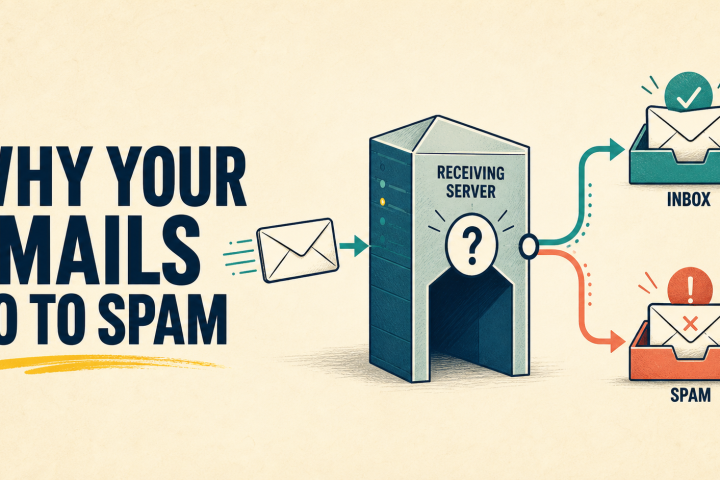
A sending platform can report that the receiving server accepted a message while the message is subsequently filtered. See NexaMail's guide to why business emails go to spam for the distinction between delivery and deliverability.
Sending from several systems without an inventory
Website notifications, CRM campaigns, billing systems and support tools may all use the same visible From domain. Document every sender before changing DNS policies, or you risk breaking legitimate mail.
A practical pre-send checklist for South African businesses
Before your next campaign, confirm:
- [ ] We know every service sending email for our domain.
- [ ] SPF and DKIM are configured for the relevant sending systems.
- [ ] A DMARC record exists and we have checked alignment on real messages.
- [ ] Sending infrastructure uses TLS and valid forward/reverse DNS.
- [ ] Our list has a legitimate, documented source and current recipients.
- [ ] Opt-outs, hard bounces and complaints are suppressed.
- [ ] Marketing mail has a visible unsubscribe link.
- [ ] Bulk marketing mail supports compliant one-click unsubscribe.
- [ ] We can inspect bounce responses and complaint signals.
- [ ] We have tested a real message to Gmail and reviewed its authentication results.
These technical rules apply to South African senders because their recipients use international mailbox providers. Separately, South African businesses must assess their own POPIA obligations for electronic direct marketing and personal information processing. Meeting Gmail's requirements does not establish POPIA compliance.
Frequently asked questions
Do Gmail's bulk-sender requirements apply if I send fewer than 5,000 emails?
The baseline requirements still apply. Gmail's additional bulk requirements depend on its classification of your sending domain, and Google says bulk-sender classification does not expire once assigned. Implementing SPF, DKIM and DMARC even at smaller volumes is sensible.
Does Yahoo use the same 5,000-email threshold as Gmail?
No published fixed threshold. Yahoo says it classifies bulk senders based on significant volume and other signals, without specifying a number.
Is SPF enough to prevent my email going to spam?
No. SPF is one authentication mechanism. Inbox placement also depends on other authentication checks, recipient expectations, complaint history, sending reputation and mailbox-provider filtering.
Do password reset emails need one-click unsubscribe?
Google's FAQ excludes transactional messages such as password resets and reservation confirmations from its one-click unsubscribe requirement. Keep these messages genuinely transactional.
Can NexaMail configure DNS automatically for my domain?
Do not assume that. NexaMail's published domain verification guide instructs users to copy the exact records shown by the platform into their DNS provider. Follow that process and verify the resulting configuration.
Make sender compliance part of your sending process
Gmail and Yahoo's requirements are not a one-off technical exercise. They affect how you configure domains, maintain contact lists, send campaigns and respond to recipient feedback. Start by testing authentication on real messages, then check the unsubscribe experience and monitor complaints after every campaign.
If you're preparing to send newsletters, customer updates or automated emails through NexaMail, begin with the NexaMail sending-domain verification guide and confirm that your actual messages pass the relevant checks before increasing volume.
Editorial verification date: 11 October 2026. Provider requirements can change. Primary sources: Google sender guidelines, Google FAQ, Yahoo Sender Hub, Yahoo FAQ.
Community discussion
Be the first to comment
Add a useful question or perspective. Comments are reviewed before publication.