

Your campaign says sent.
That does not necessarily mean your customer received it. A sending platform can accept a campaign while some messages later bounce, reach a receiving server but land in junk, or arrive in an inbox tab the recipient rarely checks. For a South African business sending invoices, service updates, recruitment alerts, newsletters or promotions, those outcomes have very different consequences.
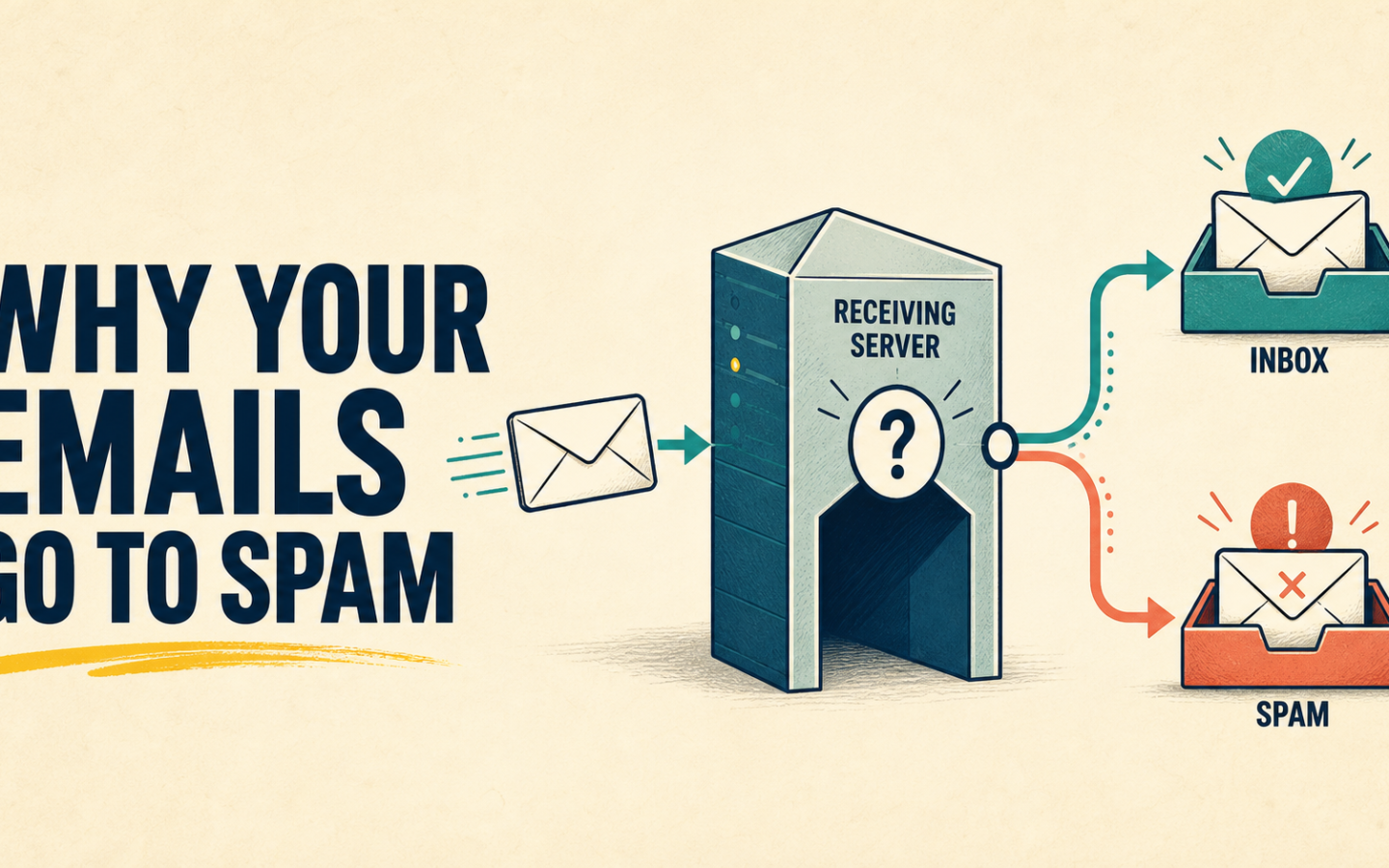
This email deliverability South Africa guide follows the full chain of decisions and signals: contact quality → sender authentication → sending reputation → receiving server → delivery → inbox or spam placement → engagement → future reputation. This guide explains each part and gives you a practical checklist for improving the process. No legitimate platform can guarantee inbox placement, but a disciplined sending process can remove many avoidable problems.
Email deliverability South Africa: sent does not mean inbox
- Sent: your system accepted or attempted the message. This is the start of the delivery process, not proof of receipt.
- Delivered: the receiving mail system accepted the message. Providers commonly use this term for server acceptance, but acceptance does not prove the message reached the primary inbox.
- Bounced: the message could not be delivered and the receiving system returned a failure. The failure may be permanent or temporary.
- Spam or junk: the receiving system accepted the message but filtered it away from the normal inbox.
- Inbox: the message was accepted and placed where the recipient can find it, although providers may still sort it into tabs or categories.
What is email deliverability?
Email deliverability is the ability of legitimate email to reach the intended recipient’s inbox rather than being rejected, deferred or filtered into spam. It is influenced by authentication, infrastructure, sender and domain reputation, list quality, complaint and bounce history, message characteristics, recipient engagement and the receiving provider’s own rules.
Email delivery is narrower: it normally records whether the recipient server accepted a message. A message can therefore be reported as delivered without appearing in the main inbox. Deliverability is not a single score and no one factor guarantees placement across Gmail, Yahoo, Outlook, corporate gateways and private mail servers.
Why business emails go to spam
Poor sender reputation
Mailbox providers build a history around sending domains, IP addresses and message streams. Repeated bounces, complaints, erratic volume or unwanted email can weaken that history. A new domain or sending configuration also has little positive history, so it should begin with legitimate, expected mail rather than an immediate blast to an old database.
Missing or incorrect authentication
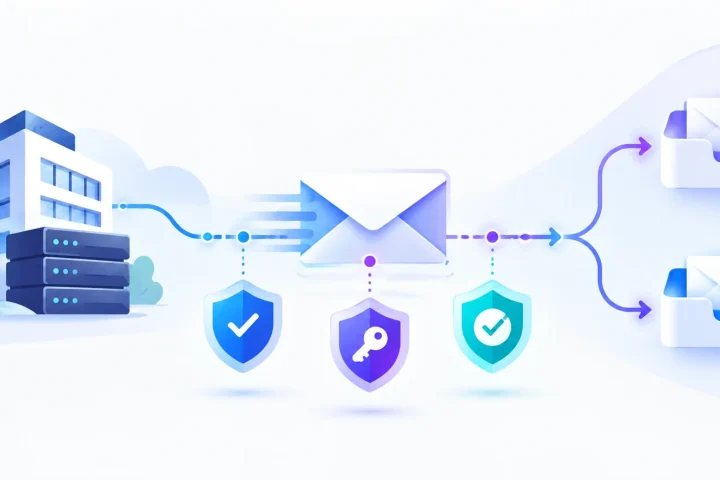
SPF, DKIM and DMARC help receiving systems verify who is authorised to send and whether the visible From domain aligns with the authenticated identity. Missing records, broken alignment, conflicting SPF records or unsigned messages can lead to rejection or stronger filtering. Authentication establishes identity; it does not make unwanted email desirable.
Invalid or outdated addresses
Old customer databases collect closed mailboxes, staff changes, spelling mistakes and addresses that were never verified. Sending repeatedly to invalid contacts increases bounces and signals weak data management.
High bounce and complaint rates
A hard bounce indicates a permanent delivery failure, such as a mailbox that does not exist. Soft bounces are temporary, such as a full mailbox or unavailable server, although providers classify responses differently. Complaints occur when recipients report a message as spam. Both require monitoring because repeated failures and negative feedback can affect later campaigns.
Purchased or low-quality lists
A purchased, scraped or shared list contains people who did not reasonably expect your message. It can also contain invalid addresses, traps and stale data. Even a technically authenticated campaign performs poorly when the audience did not ask for it.
Sudden changes in sending volume
Moving from hundreds of messages to tens of thousands changes the pattern mailbox providers see. Large spikes from a new domain, IP or inactive list can look risky. Legitimate senders should scale in line with genuine audience growth and consistent communication needs, not attempt to disguise or bypass provider safeguards.
Misleading or poor-quality content
A deceptive subject line, mismatched sender identity, broken links, unsafe destinations, excessive pressure or content that does not match the recipient’s expectations can generate filtering and complaints. There is no reliable list of forbidden words that fixes deliverability; context, identity, reputation and recipient behaviour matter together.
Weak unsubscribe practices
If opting out is difficult, delayed or ignored, recipients are more likely to use the spam button. Marketing and subscribed messages should provide a clear unsubscribe path, and the resulting suppression must survive future imports and list changes.
Low or negative recipient engagement
Mailbox providers can use recipient behaviour as one of many signals. Consistently ignored mail may indicate that a list is no longer relevant. Opens alone are an imperfect measure because privacy features affect tracking, so review clicks, replies, conversions, complaints and business outcomes as well.
SPF, DKIM and DMARC in plain business language
SPF: which servers may send for your domain?
Sender Policy Framework publishes a DNS record listing systems authorised to send mail using a domain in the envelope sender. If your website, support system, accounting tool and email platform all send mail, the SPF design must account for the legitimate services without creating multiple conflicting SPF records.
DKIM: was the message signed by the sending domain?
DomainKeys Identified Mail adds a cryptographic signature to the message. The receiving server checks that signature against a public key in DNS. A valid signature helps confirm that the signing domain took responsibility for the message and that signed parts were not altered in transit.
DMARC: does authentication align with the visible From domain?
Domain-based Message Authentication, Reporting and Conformance connects SPF and DKIM results to the domain recipients see in the From address. It also lets a domain publish a policy for messages that fail alignment and request reports. Roll out enforcement deliberately: first identify every legitimate sender, confirm alignment and review reports before moving to a stricter policy.
Google’s current email sender guidelines require all senders to personal Gmail accounts to use SPF or DKIM, TLS, valid forward and reverse DNS, correctly formatted messages and low spam rates. Senders of more than 5,000 messages a day to Gmail accounts must meet additional requirements including SPF, DKIM, DMARC, alignment and one-click unsubscribe for marketing and subscribed messages. Yahoo’s Sender Hub publishes comparable requirements for bulk senders. Check these official pages regularly because receiver requirements evolve.
Authentication matters more visibly as volume grows because one configuration affects many messages. It also protects the domain from straightforward spoofing. It remains one layer of deliverability rather than a promise of inbox placement.
Your email list is part of your sending infrastructure
A sending domain can be configured correctly and still struggle if the audience data is poor. Treat the contact database as operational infrastructure, not a pile of addresses collected over time.
- Invalid addresses: malformed or non-existent mailboxes should not remain eligible for campaigns.
- Hard bounces: permanently failed addresses should normally be suppressed from further sends promptly.
- Soft bounces: temporary failures can be retried carefully, but repeated failure should lead to suppression according to a documented rule.
- Unsubscribed contacts: retain enough suppression information to prevent accidental re-import and resending.
- Spam traps: these are addresses used by anti-abuse systems to identify poor acquisition or hygiene practices. Do not attempt to locate or evade them; use permission-based collection and responsible list maintenance.
- Old databases: an address that was valid years ago may no longer be safe or relevant for a new campaign.
- Duplicates and typos: duplicates inflate frequency while common domain or formatting mistakes create avoidable failures.
- Inactive contacts: long-term non-engagement can indicate lost interest, an abandoned mailbox or unsuitable frequency. Use a cautious re-engagement or sunset policy instead of mailing indefinitely.
Do not blindly delete every historical record. A customer system may need transaction history, consent evidence, an audit trail or the reason an address was suppressed. Suppression separates record retention from sending eligibility: the organisation can retain information where it has a valid reason to do so while preventing that address from receiving future campaigns. Define retention and deletion rules with the people responsible for privacy, legal and operational records.
Before importing an old database, establish its source, age, permission, most recent send and bounce history. Deduplicate it, exclude known opt-outs and permanent failures, correct obvious entry errors only when the correct address is verifiable, and start with the most recent relevant contacts. A large historical list is not automatically a valuable audience.
What does “undeliverable” mean?
- Deliverable
-
The address and receiving system can accept mail at that moment. It does not guarantee inbox placement.
- Undeliverable
-
A broad description for mail that could not be accepted or completed. The underlying response should be reviewed rather than treated as one universal status.
- Bounced
-
A failed delivery reported by the sending or receiving system. Hard and soft classifications are useful concepts, but exact labels and retry rules vary by provider.
- Unsubscribed
-
The contact asked to stop a type of email. That preference should be applied to the correct lists and message purposes.
- Suppressed
-
The platform or organisation prevents sending to an address because of an unsubscribe, complaint, permanent failure, policy decision or another defined reason.
The status label is less important than the action behind it. Your team should know which failures retry, which addresses stop immediately, how preferences are applied, and how a corrected customer address returns safely to an eligible audience.
Why high-volume sending is different
Sending 500 expected messages to a current audience creates less exposure than sending 50,000 messages from a new configuration to a mixed-age database. At higher volume, small data problems become thousands of failures and complaint rates can change quickly.
High-volume senders need coordinated controls:
- authenticated domains with correct alignment;
- stable sending infrastructure and legitimate, understandable patterns;
- audience acquisition and list-quality rules;
- automated processing of bounces, complaints, unsubscribes and suppression;
- separation of message streams where operational risk justifies it;
- monitoring by provider, domain, campaign and failure type; and
- an escalation process when delivery changes unexpectedly.
ISPs, SaaS companies, schools and membership organisations often send urgent customer information as well as marketing. A promotional campaign with poor data should not be allowed to weaken a critical notification programme. Decide which streams use which domains or subdomains with a deliverability specialist, then keep sender identities recognisable and configurations documented.
How to improve email deliverability
- Inventory every sender. List each platform, website, CRM, support tool and server that sends using your domains.
- Verify SPF. Maintain one valid SPF policy that includes legitimate senders and stays within protocol limits.
- Configure DKIM. Sign mail for each sending service using the domain intended for that stream.
- Configure DMARC deliberately. Begin with visibility and reporting, confirm alignment, then increase enforcement according to a controlled plan.
- Protect contact entry points. Validate form input, reduce bot submissions and set clear subscription expectations.
- Clean imports before sending. Deduplicate, review source and age, and exclude opt-outs and known failures.
- Suppress invalid addresses and complaints. Do not repeatedly retry permanent failures or recipients who complained.
- Honour unsubscribes promptly. Test the entire opt-out flow and prevent reactivation through later imports.
- Monitor bounces by cause. Distinguish mailbox failure, policy rejection, rate limiting and temporary infrastructure problems.
- Avoid purchased and scraped lists. Send to people who reasonably expect the message.
- Keep volume legitimate and consistent. Scale with audience and business needs rather than abrupt, unexplained blasts.
- Review every campaign. Compare delivery, bounce, complaint, engagement and conversion signals, then correct the root cause before the next large send.
For the workflow around triggers and audiences, see the Email Automation in South Africa guide. Automation should carry healthy data and authenticated sending practices forward; it cannot repair a weak foundation.
Before your next campaign: a pre-send checklist
Domain and infrastructure
- ☐ Every legitimate sending service is documented.
- ☐ SPF is valid and includes the required senders.
- ☐ DKIM signing passes for the selected From domain.
- ☐ DMARC alignment and reports have been reviewed.
- ☐ Sender name, reply address and domain are recognisable.
- ☐ The planned volume matches the established sending pattern.
Audience and data
- ☐ The list source, purpose and age are known.
- ☐ Duplicate and malformed contacts have been handled.
- ☐ Hard bounces, complaints and applicable unsubscribes are suppressed.
- ☐ The segment is relevant to this message.
- ☐ An old or uncertain list has been reviewed before use.
Campaign
- ☐ The subject accurately describes the message.
- ☐ The visible From identity matches recipient expectations.
- ☐ Links, reply handling and mobile rendering have been tested.
- ☐ Marketing or subscribed mail has a working unsubscribe path.
- ☐ Sensitive customer information is behind an authenticated portal.
- ☐ A small internal or controlled test has passed.
After send
- ☐ Review accepted, deferred and bounced messages.
- ☐ Examine failure reasons rather than only the total bounce rate.
- ☐ Review spam complaints and unsubscribe processing.
- ☐ Compare engagement and the intended business outcome.
- ☐ Update source data and suppression before the next campaign.
Where NexaMail fits
NexaMail gives South African teams one environment for subscriber and audience management, campaigns, newsletters, automated journeys, customer updates and delivery and engagement reporting. That is useful when the same organisation sends both marketing email and recurring operational communication as volume grows.
A healthier sending process still requires work from the sender: authenticating the domain, importing legitimate contacts, maintaining preferences, reviewing failures and correcting source data. NexaMail can help teams organise and observe that process, but it cannot guarantee that every receiving provider will place every message in the inbox.
If you are comparing capacity and cost, review NexaMail’s Rand-based sending plans. For a high-volume or multi-system setup, discuss your sending requirements with the NexaMail team before migrating a critical communication stream.
Frequently asked questions
Why are my business emails going to spam?
Business emails can go to spam because of weak sender reputation, missing or misaligned authentication, poor list quality, bounces, complaints, unexpected volume, misleading content or low recipient engagement. Usually several signals interact, so diagnose the full sending process rather than searching for one forbidden word.
What is email deliverability?
Email deliverability is the ability of legitimate email to reach the intended inbox rather than being rejected, deferred or filtered into spam. It includes authentication, reputation, list quality, infrastructure, recipient response and receiver rules.
What is the difference between SPF, DKIM and DMARC?
SPF identifies systems authorised to send for a domain. DKIM adds a domain-linked signature that receivers can verify. DMARC checks alignment between authentication and the visible From domain, publishes handling policy and enables reporting.
Does a delivered email mean it reached the inbox?
No. “Delivered” normally means the receiving server accepted the message. That server can still place it in spam, junk, another tab or a quarantine system.
Should I delete bounced email addresses?
Stop sending to permanent failures promptly, usually through suppression. Do not blindly destroy every associated customer record: retain or delete historical information according to a valid operational, privacy and retention policy while keeping the address ineligible for campaigns.
How often should I clean my email list?
Apply bounces, complaints and unsubscribes continuously, and review list source, age, duplicates and inactivity before major sends. The right full-audit frequency depends on how quickly your data changes; list hygiene should be an ongoing process, not an annual rescue.
Why does sender reputation matter?
Receiving providers use the history associated with domains, IPs and sending patterns to help assess risk. Healthy authentication, expected mail, low complaints, controlled volume and well-maintained lists support a stronger reputation over time.
Can an email platform guarantee inbox placement?
No legitimate email platform can guarantee inbox placement across every receiving provider. A platform can provide infrastructure, controls and reporting that support better practices, while the sender remains responsible for authentication, data, content, consent and monitoring.
Build a healthier sending process
Deliverability begins before anyone presses Send. Know who should receive the message, authenticate the domain, suppress contacts who should not be mailed, keep volume consistent and review what happened after every campaign.
Explore NexaMail delivery insights or talk to the team about a dependable high-volume sending workflow.
Community discussion
Be the first to comment
Add a useful question or perspective. Comments are reviewed before publication.